Loading game…
Blombo.io
Game guide
About Blombo.io
Blombo.io is a free Others Cool Games game that you can play at WillingGames.com. It has been played 3 times.
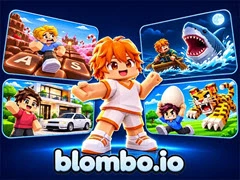
Blombo.io is an all-in-one multiplayer gaming hub featuring over 100 Roblox-style titles across adventure, casual, arcade, and fighting genres without any in-game or between-match ads. Launching any title on Blombo.io automatically triggers full-screen mode and detects your IP location to load the interface in your local language.
Core capabilities on Blombo.io include instant access to more than 100 real-time multiplayer lobbies, dozens of selectable genres, ad-free sessions, and built-in creator tools that let players build and share their own custom games with the community. Switching titles mid-session takes two clicks: press ESC and select the Blombo button in the top-left corner to jump straight back to the main catalog.
How do you start playing on Blombo.io? Open the platform, pick any game from the 100-plus catalog, wait briefly for the lobby to load in full-screen mode, and join live multiplayer matches against real players immediately.
If you like this game and want to play similar cool free games, just go to the Others Cool Games category(/categories).
Blombo.io is an all-in-one multiplayer gaming hub featuring over 100 Roblox-style titles across adventure, casual, arcade, and fighting genres without any in-game or between-match ads. Launching any title on Blombo.io automatically triggers full-screen mode and detects your IP location to load the interface in your local language.
Core capabilities on Blombo.io include instant access to more than 100 real-time multiplayer lobbies, dozens of selectable genres, ad-free sessions, and built-in creator tools that let players build and share their own custom games with the community. Switching titles mid-session takes two clicks: press ESC and select the Blombo button in the top-left corner to jump straight back to the main catalog.
How do you start playing on Blombo.io? Open the platform, pick any game from the 100-plus catalog, wait briefly for the lobby to load in full-screen mode, and join live multiplayer matches against real players immediately.
If you like this game and want to play similar cool free games, just go to the Others Cool Games category(/categories).
How to play
- Move and Camera (Desktop): Use WASD or Arrow Keys to walk, and move the mouse to rotate your camera angle.
- Actions and Stances (Desktop): Left-click to punch or use items, press Space to jump, hold Shift to run, and tap C to crouch.
- Interact and Menus (Desktop): Press E to interact, F to toggle first-person view, G for emotes, Enter to chat, and P for settings.
- Touch Controls (Mobile): Steer with the virtual joystick, swipe the screen to look around, and tap on-screen icons to jump, run, crouch, interact, emote, chat, or open settings.
Frequently asked questions
Blombo.io FAQ
Q: How do you switch to a different game while playing on Blombo.io?A: Press the ESC key on your keyboard and click the Blombo button in the top-left corner to return to the main menu and pick another title.
Q: Does Blombo.io show video ads during gameplay or between rounds?
A: No, Blombo.io runs completely ad-free, so your multiplayer sessions are never interrupted during matches or while switching games.
Q: Can players build their own games on Blombo.io?
A: Yes, Blombo.io includes game creation tools that allow you to design your own Roblox-style experiences and share them with other players on the platform.
No comments yet. Be the first to share your thoughts.