Loading game…
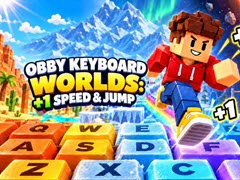
Obby Keyboard Worlds: +1 Speed & Jump
Game guide
About Obby Keyboard Worlds: +1 Speed & Jump
Obby Keyboard Worlds: +1 Speed & Jump is a free Adventure Games game that you can play at WillingGames.com. It has been played 5 times.
Step into a giant, mechanical playground in Obby Keyboard Worlds: +1 Speed & Jump, an energetic obstacle-course adventure that tests both your timing and momentum. Instead of standard floating platforms, you are dashing across massive computer keys, dodging heavy swinging hammers, and making split-second decisions to stay on course. Every stage brings fresh challenges designed to push your platforming skills to their limits.
What sets Obby Keyboard Worlds: +1 Speed & Jump apart is its rewarding progression system. As you complete levels, you steadily accumulate movement speed and jump height, turning tough gaps into easy strides. Earn trophies to unlock upgraded sneakers for extra stats, and use the rebirth feature when you are ready to reset your run for massive, long-term boosts.
Whether you prefer fine-tuning your movements on PC or tapping through obstacles on mobile, this H5 browser title delivers smooth controls and fast-paced gameplay without requiring any downloads. Jump in today and see how fast you can conquer the mechanical keys!
If you like this game and want to play similar cool free games, just go to the Adventure Games category(/categories).
Step into a giant, mechanical playground in Obby Keyboard Worlds: +1 Speed & Jump, an energetic obstacle-course adventure that tests both your timing and momentum. Instead of standard floating platforms, you are dashing across massive computer keys, dodging heavy swinging hammers, and making split-second decisions to stay on course. Every stage brings fresh challenges designed to push your platforming skills to their limits.
What sets Obby Keyboard Worlds: +1 Speed & Jump apart is its rewarding progression system. As you complete levels, you steadily accumulate movement speed and jump height, turning tough gaps into easy strides. Earn trophies to unlock upgraded sneakers for extra stats, and use the rebirth feature when you are ready to reset your run for massive, long-term boosts.
Whether you prefer fine-tuning your movements on PC or tapping through obstacles on mobile, this H5 browser title delivers smooth controls and fast-paced gameplay without requiring any downloads. Jump in today and see how fast you can conquer the mechanical keys!
If you like this game and want to play similar cool free games, just go to the Adventure Games category(/categories).
How to play
Desktop Controls:
Mobile Controls:
- WASD / Arrow Keys: Move your character
- Spacebar: Jump (press again or hold for midair extra jumps)
- Mouse Drag (Hold Right Click): Rotate camera view
- Mouse Wheel: Zoom camera in or out
- Tab: Toggle mouse cursor visibility
- E Key: Hold near sneakers to purchase or equip
- On-screen Sliders: Fine-tune speed and zoom settings
Mobile Controls:
- Left Virtual Joystick: Move around
- Right Touch Screen: Swipe to adjust camera perspective
- Jump Button: Tap or hold to jump and activate multi-jumps
- UI Buttons: Tap on-screen options to upgrade gear or adjust speed
Frequently asked questions
Obby Keyboard Worlds: +1 Speed & Jump FAQ
Q: Do I need to install anything to play Obby Keyboard Worlds: +1 Speed & Jump?A: No installation is needed. You can play directly inside any modern web browser on both desktop computers and mobile devices.
Q: How does the rebirth system work in this game?
A: Rebirthing resets your immediate stage progress in exchange for permanent stat multipliers, helping you gain speed and jump power much faster on subsequent runs.
Q: Can I customize my character's movement speed?
A: Yes, you can manually adjust your movement speed using the on-screen slider controls if a stage requires more precise navigation.
No comments yet. Be the first to share your thoughts.