Loading game…
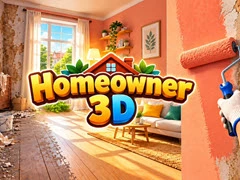
Homeowner 3D
Game guide
About Homeowner 3D
Homeowner 3D is a free 3D Games game that you can play at WillingGames.com. It has been played 1 times.
Homeowner 3D is an engaging first-person renovation and cleaning simulator crafted for players who enjoy satisfying home transformations. Your journey begins inside clutter-filled properties that need serious care. Equip your tools to clear away discarded trash, scrub deep stains off surfaces, tear out outdated fixtures, and prepare each room for a complete design overhaul.
Once the space is prepped, bring your interior vision to life by painting walls in modern shades, putting up fresh wallpaper, installing premium flooring, and carefully arranging stylish decor. Completing client orders earns you cash to reinvest into your career—unlocking new properties, purchasing high-end furniture, and adopting pets to decorate your very own dream home in Homeowner 3D.
If you like this game and want to play similar cool free games, just go to the 3D Games, Others Cool Games category(/categories).
Homeowner 3D is an engaging first-person renovation and cleaning simulator crafted for players who enjoy satisfying home transformations. Your journey begins inside clutter-filled properties that need serious care. Equip your tools to clear away discarded trash, scrub deep stains off surfaces, tear out outdated fixtures, and prepare each room for a complete design overhaul.
Once the space is prepped, bring your interior vision to life by painting walls in modern shades, putting up fresh wallpaper, installing premium flooring, and carefully arranging stylish decor. Completing client orders earns you cash to reinvest into your career—unlocking new properties, purchasing high-end furniture, and adopting pets to decorate your very own dream home in Homeowner 3D.
If you like this game and want to play similar cool free games, just go to the 3D Games, Others Cool Games category(/categories).
How to play
PC Controls:
Mobile Controls:
- WASD: Walk around
- Shift: Run
- Mouse: Look around
- Hold Left Click (LMB): Pick up trash and dismantle old furniture
- E: Interact with doors, laptop, and van
- F: Use equipped tools
- Tab: Open furniture catalog on tablet
- Q / E or Mouse Wheel: Rotate furniture items
- LMB: Place selected item
Mobile Controls:
- Bottom Left Joystick: Walk
- Swipe Screen: Rotate view
- Bottom Right Action Button (Hold): Clean grime, take apart items, open doors
- Top Left Cart Icon: Open furniture catalog
- Tool Bar: Switch between mop, paint roller, wall finish, and flooring
- Arrows / Tick: Rotate and confirm placement
Frequently asked questions
Homeowner 3D FAQ
Q: How do I earn money to purchase new properties and pets in Homeowner 3D?A: You earn cash by completing renovation contracts for clients. Every task—from clearing trash and washing dirt to painting walls and placing furniture—rewards you with funds upon completion.
Q: Can I customize my own house in Homeowner 3D, or only client properties?
A: You can do both! Client jobs build up your income, which you can then spend buying personal real estate, styling rooms with custom decor, and adopting home pets.
Q: How do I switch tools while renovating walls or floors?
A: On desktop, press the F key to switch between active tools. On mobile devices, tap the designated tool icons on screen to toggle between the mop, paint roller, wall finishes, and flooring options.
No comments yet. Be the first to share your thoughts.